Generate a high-resolution image of a red play button icon on a gray background, using a DSLR camera, ISO 100, aperture f/2.8, focal length 50mm, shot from a straight-on view with soft lighting to enhance details and vibrancy.
Create a highly detailed 3D rendering of two glossy red YouTube play buttons on a sleek black surface, using a DSLR camera with an aperture of f/2.8, shutter speed of 1/60s, ISO 100, in a studio setup with softbox lighting, and a shallow depth of field for enhanced focus on the buttons.
Create a high-resolution image of a red circular logo featuring a white play button in the center, captured with a DSLR camera using a 50mm lens, f-stop at 2.8, ISO 100, with a slight bokeh background for depth, in natural lighting.
Create a high-resolution image of a play button icon with a glossy finish and smooth gradients, captured with a DSLR camera at f/2.8, ISO 100, and a focal length of 50mm, using a shallow depth of field to focus on the icon while softly blurring the background.
Generate a high-resolution image of a red play button on a white background, using a DSLR camera with a 50mm lens, aperture set to f/2.8, ISO 100, and shot from a straight-on angle to enhance detail and contrast.
create a digital illustration of a computer screen displaying a video play button with chat bubbles, in a light blue background with icons like globe, dollar sign, and email, use a high-resolution setting, 50mm lens, f/8 aperture, and soft lighting for clarity and detail.
Create an image with a minimalist design featuring icons: a checklist, floppy disk, camera, smartphone, clouds, rain, play button, award ribbon, and group of people, use a Canon EOS R camera, aperture f/2.8, ISO 100, 50mm lens, top-down view, vibrant blue color scheme for enhanced clarity and quality.
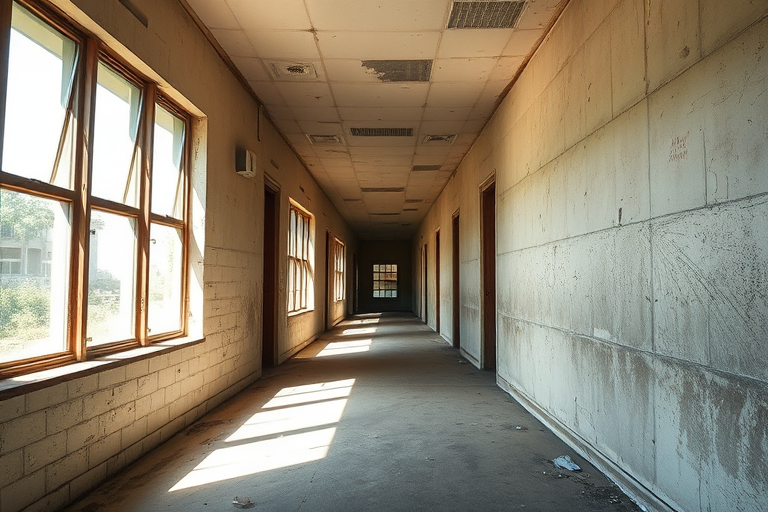
generate a high-resolution image of an abandoned corridor with soft natural light streaming through large windows, emphasizing the play of shadows and textures, captured with a Canon EOS 5D Mark IV at f/8, ISO 100, shutter speed 1/60 sec, using a wide-angle lens, in a natural style that enhances the details of the walls and floor.
Create an image of a simple play button icon centered on a soft pastel background, using a Canon EOS R5 with a 50mm lens, f/1.8 aperture, ISO 100, and a shallow depth of field for a clean, modern look.
Generate a vibrant red background featuring a stylized YouTube video player with rounded edges, a prominent red play button in the center, soft bubble shapes in various opacities around the edges, camera settings: ISO 100, f/2.8, shutter speed 1/60s, camera view: front view, camera style: digital illustration, camera type: vector graphic design.
Create a high-quality image of a green play button with a red triangle centered inside a rounded square shape, use a Canon EOS 5D Mark IV camera, aperture f/2.8, shutter speed 1/60s, ISO 100, 50mm lens, natural lighting, and a shallow depth of field.
Create a high-resolution image of a red background with a centered white play button, using a DSLR camera, aperture f/2.8, ISO 100, 50mm lens, top-down view for clarity and detail.
Regenerate a circular red background with a white play button in the center, using a Canon EOS R5 with a 50mm f/1.2 lens, aperture set to f/2.8, ISO 100, and a shallow depth of field for enhanced clarity and focus.
Create a high-resolution image of a red play button with a circular design, using a DSLR camera, 50mm lens, f/2.8 aperture, ISO 100, shot from a slightly elevated angle with a soft-focus background to enhance clarity and detail.
Create a high-resolution image of a blue circular play and pause button with a long shadow effect, using a DSLR camera, 50mm lens, aperture f/1.8, ISO 100, shot in natural light from a slight angle to capture depth and detail.
Create an illustration of stacked books with titles like "Diversity," "Work hard, play harder!," and "How to make it work...," in a minimalist style on a light beige background using a digital tablet, 300 DPI resolution, top-down view, with soft lighting and smooth textures.